Checklists
Closing, cleaning, and shift task checklists your team checks off and signs.
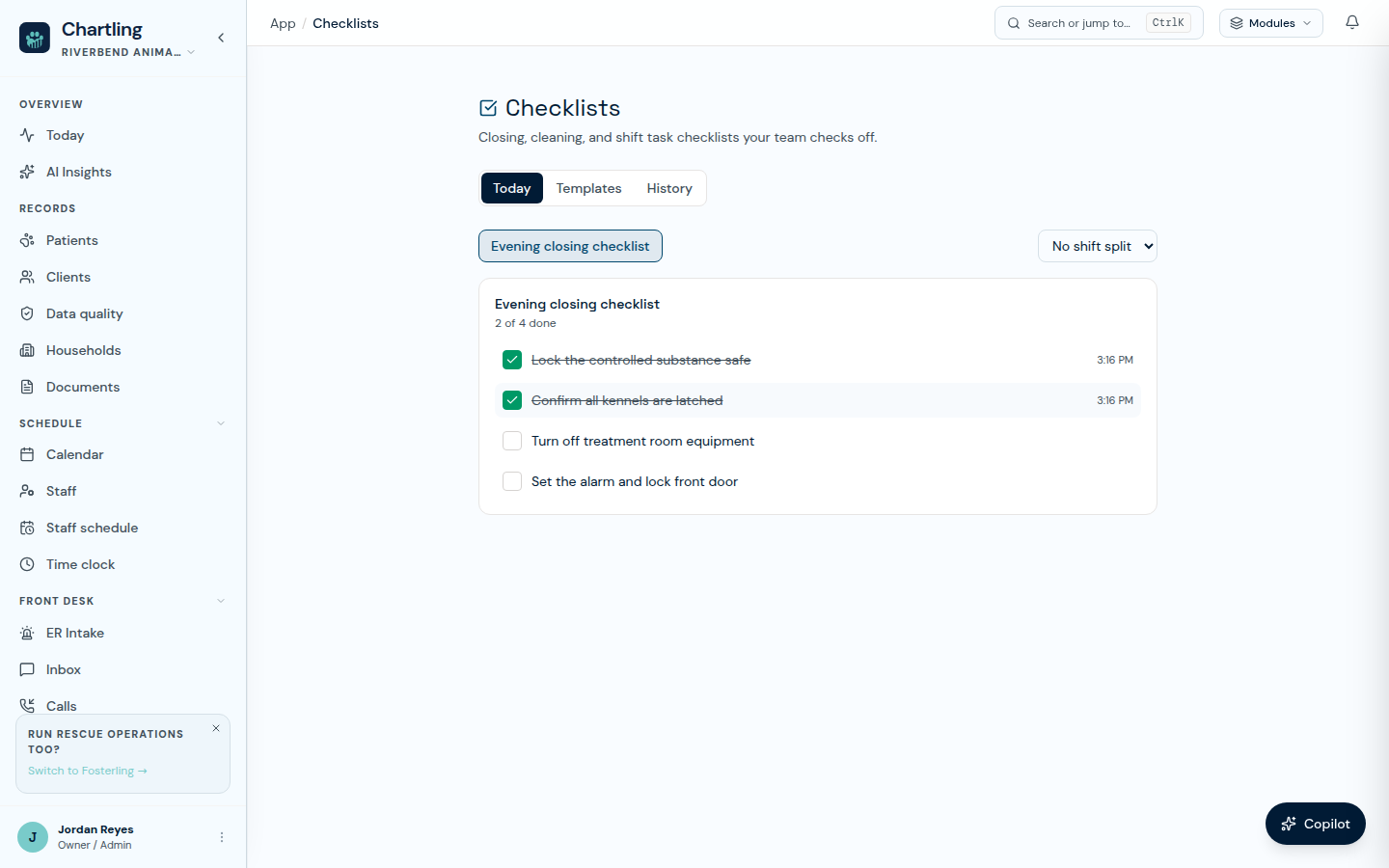
A checklist run, partway through a shift
Checklists are for recurring operational tasks, closing procedures, daily cleaning, kennel rounds, opening checks, not clinical documentation. They're separate from a visit's SOAP note and from the Boarding or Daycare report cards.
Building a template
Open Shift tasks in the sidebar, choose the Routines tab, then Templates, and click New checklist (requires checklist.manage). Give it a name and a plain list of items in the order your team should work through them. Editing a template later never rewrites a checklist that was already run that day, each run keeps its own copy of the items as they stood when it started.
Running a checklist
-
Open today's checklist
From the Today tab, pick the checklist. Optionally pick a shift (Morning, Afternoon, Evening, Overnight) from the shift menu; it defaults to No shift split. The first person to open a given checklist and shift for the day starts it; anyone else who opens the same one picks up the same run already in progress, nothing is duplicated.
-
Check items off
Anyone with
checklist.completecan check or uncheck items. Each check records the time and the person who made it. The checklist shows the time. -
Sign when it's complete
Once every item is checked, sign the checklist to attest it's done. This is a single-person attestation, unlike a controlled-substance dispense there's no separate witness step. If anyone unchecks an item afterward, the checklist reopens and the signature clears; finishing it again needs a fresh signature.
History
The History tab lists past runs for review, who signed each one and when, and whether every item was completed. Staff with checklist.read get read-only access to this history without being able to check items off themselves, useful for a manager who audits shift compliance but doesn't work the floor.
| Permission key | What it allows |
|---|---|
checklist.manage |
Create, edit, and archive checklist templates |
checklist.complete |
Start a run, check items off, and sign a completed checklist |
checklist.read |
View past checklist runs, without checking items off |
FAQ
Operations and Practice. It isn't included on Intelligence-only plans. See Plans & pricing.
Yes. It's shared for the day (and shift, if one was picked), so whoever opens it sees the same items and the same progress as anyone else already working it.
Nothing is auto-signed or auto-closed. An unsigned, incomplete checklist just sits there for the next person to pick up, and it's visible as such in History.
No. Each run copies the template's items at the moment it starts, so editing the template only changes future runs.